WORKING PROTOTYPEMarket-interest test · No payment collected on this page

SHOFLAB BIOMETRIC · LABOR-COST CONTROL

WORKING PROTOTYPE

Know where every paid hour goes.

ShofLab Biometric is more than a fingerprint time clock. The working prototype connects attendance with hourly rates, employee earnings, field work, configurable lunch rules and automatic shift closing—turning recorded time into useful business control.

Working hardwareHourly cost visibilityField work + lunchAutomatic safeguards
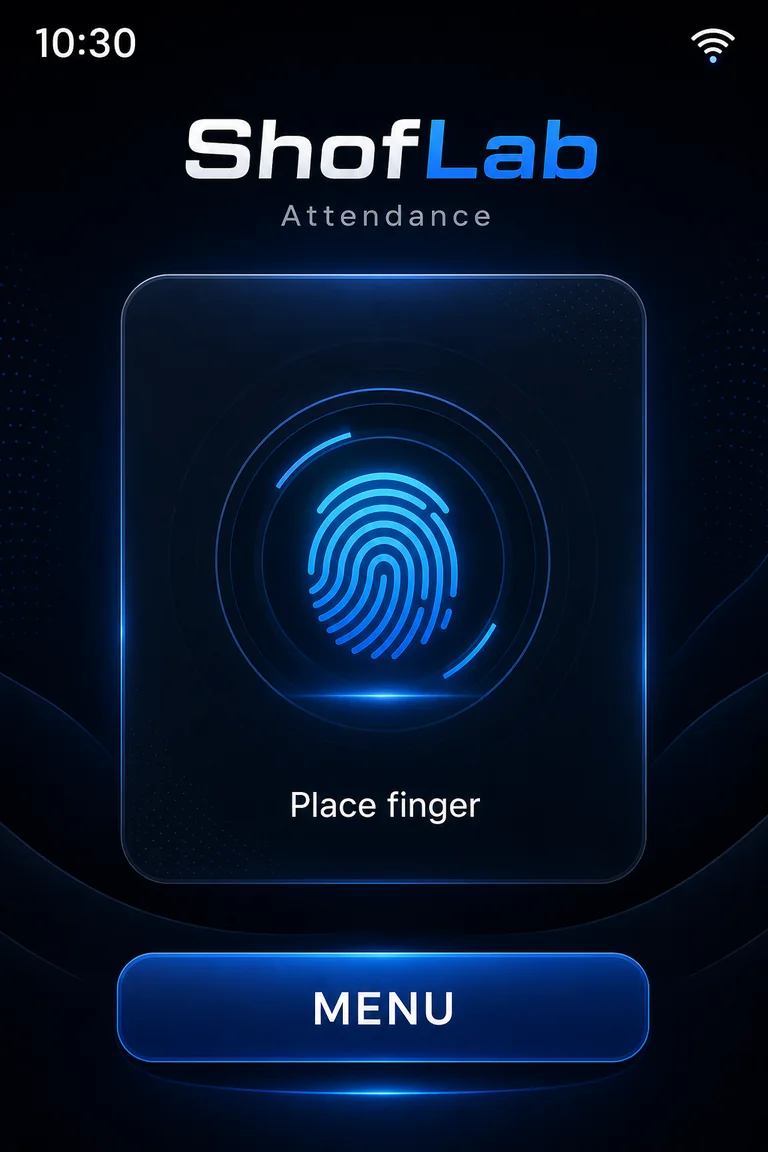
Original ShofLab Biometric prototype home screen showing the fingerprint prompt

NOT JUST ATTENDANCE

Turn employee time into operating control.

Every late start, extended break, forgotten checkout and untracked off-site shift changes the real cost of a job. ShofLab Biometric is being built to make those minutes visible, reviewable and connected to money.

01

Less time leakage

Fingerprint events replace estimates and make actual arrival, departure and work-period records easier to verify.

02

Labor cost, not only hours

An hourly rate can be assigned to an employee so recorded time can be translated into an estimated earned amount.

03

Control beyond the shop

Field Work separates off-site activity from an ordinary shift and gives the business a record to review.

04

Fewer open shifts

Configurable automatic checkout rules can close forgotten normal or field-work shifts and flag records that may need review.

Current prototype: attendance, hourly-rate calculations, personal and administrative reports, field-work status, lunch handling and automatic checkout are present in firmware v0.10. Final commercial specifications may change after testing.

ShofLab Biometric prototype overview 37 seconds
WORKING PROTOTYPE · VIDEO OVERVIEW

Meet ShofLab Biometric.

See the product direction, the working device and the business problem ShofLab Biometric is designed to solve: turning attendance records into clearer time and labor-cost control.

CURRENT FIRMWARE · V0.10

What the working prototype already does.

This list is based on the current device code and operating manual—not only on a future concept. Estimated earnings are an operational calculation based on recorded time and hourly rate; they are not a tax or payroll calculation.

CURRENT · 01

Fingerprint check-in and checkout

A registered fingerprint opens or closes the employee’s shift and creates a dated event record.

CURRENT · 02

Hourly rate and earnings

Assign or edit an hourly rate. The device calculates an estimated earned amount from recorded minutes for the selected reporting period.

CURRENT · 03

Employee self-service

An employee can identify by fingerprint and review personal time, event history and calculated earnings for a day or selected range.

CURRENT · 04

Lunch and break accounting

Lunch events can be recorded. For Field Work, a configurable lunch duration can be deducted and the employee can confirm whether lunch was already taken.

CURRENT · 05

Field Work mode

An employee can mark an active shift as off-site work. Field records remain distinct in reports instead of disappearing into ordinary attendance.

CURRENT · 06

Automatic checkout safeguards

Set a normal closing time, a separate Field Work closing time and a maximum shift duration. Automatically closed records can be marked for review.

CURRENT · 07

Management reports and roles

Administrators can review employee events and totals. A view-only supervisor role can inspect records without permission to edit employees or settings.

CURRENT · 08

Employee management and offline use

Add, edit, archive and restore employees, replace fingerprints and continue recording attendance when Wi-Fi is unavailable.

TERMINAL + APP + PROJECTS

From attendance terminal to a labor-control platform.

The device is the reliable point of identification. The companion app is being developed as the management layer, with scheduled reporting and project control forming the next major commercial modules.

CURRENT APP PROTOTYPE

Manage the device from the local app.

  • Connect to the terminal through the local Wi-Fi network with a device key.
  • See employees and their current checked-in or Field Work status.
  • Add employee details in the app and start fingerprint enrollment on the physical terminal.
  • Edit employee information or move a former employee to the device archive.
  • Review attendance for an employee by day or selected date range.

The app initiates enrollment; the fingerprint itself is presented to the physical terminal, not captured by the phone.

PLANNED COMMERCIAL MODULE

Connect reports, people, deadlines and project economics.

  • Schedule weekly employee reports to be delivered automatically to an administrator by email or inside the app.
  • Create a project in the app and load or synchronize it with the device.
  • Assign a responsible employee or team and define planned start and completion dates.
  • Show assigned work and deadlines to the employee through the device workflow.
  • Track when the project actually started, when it was completed and whether the deadline was met.
  • Combine recorded project hours with employee rates to estimate direct labor cost.
  • Compare project revenue or budget with recorded labor cost to understand the project result.

Scheduled delivery and projects are development targets and are not yet part of the current firmware. Final workflow, report formats and commercial terms will be published after implementation and testing.

PLANNED AUTOMATION

Your weekly report should arrive before you have to ask for it.

The administrator will be able to choose a reporting schedule and delivery method. At the selected time, ShofLab Biometric is planned to prepare a weekly summary for each employee and deliver it automatically by email or to the companion app—without opening the terminal, exporting files or reminding someone to send the report.

01 Choose schedule 02 Device prepares report 03 Email or app delivery

THE DIFFERENCE

A time clock records presence. ShofLab is being built to explain labor cost.

Business questionOrdinary time clockShofLab Biometric direction
When was the employee present?Basic in/out recordFingerprint events with personal and management history
What did that time cost?Usually calculated elsewhereHourly rate and estimated earnings connected to recorded minutes
Was the employee working off-site?Often not distinguishedDedicated Field Work status, lunch rule and separate auto checkout
What if checkout is forgotten?Manual correctionConfigurable automatic closing and review markers
Who sends the weekly report?Administrator opens the system and exports it manuallyPlanned scheduled delivery by email or directly in the app
Did a project finish on time and on budget?Outside the clockPlanned project assignment, deadlines and labor-cost analysis

A RESPONSIBLE FOUNDING-BATCH PATH

Interest first.
Paid orders only after the terms are real.

01

Record real business interest

Business owners tell ShofLab how they track time, field work, labor cost and projects—and which functions would justify adopting a new system.

02

Publish the complete offer

ShofLab demonstrates working hardware and the app, defines which project functions are included, and publishes price, batch size, delivery estimate, support, data handling and refund terms.

03

Open paid reservations

Only after those facts are fixed should a real preorder or deposit be accepted to fund the first production batch.

VOTE WITH REAL INTENT

Would you want ShofLab Biometric in your business?

This form sends your response directly to ShofLab and saves it with a reference number. No payment is requested, and the form does not collect fingerprints or other biometric data.

Today’s commitment: $0This is product-interest validation, not a purchase contract or paid reservation.
Choose the statement closest to your intent

Your business response is stored as a private ShofLab lead record. The website does not request or store fingerprint templates. Do not include sensitive employee or biometric information.